
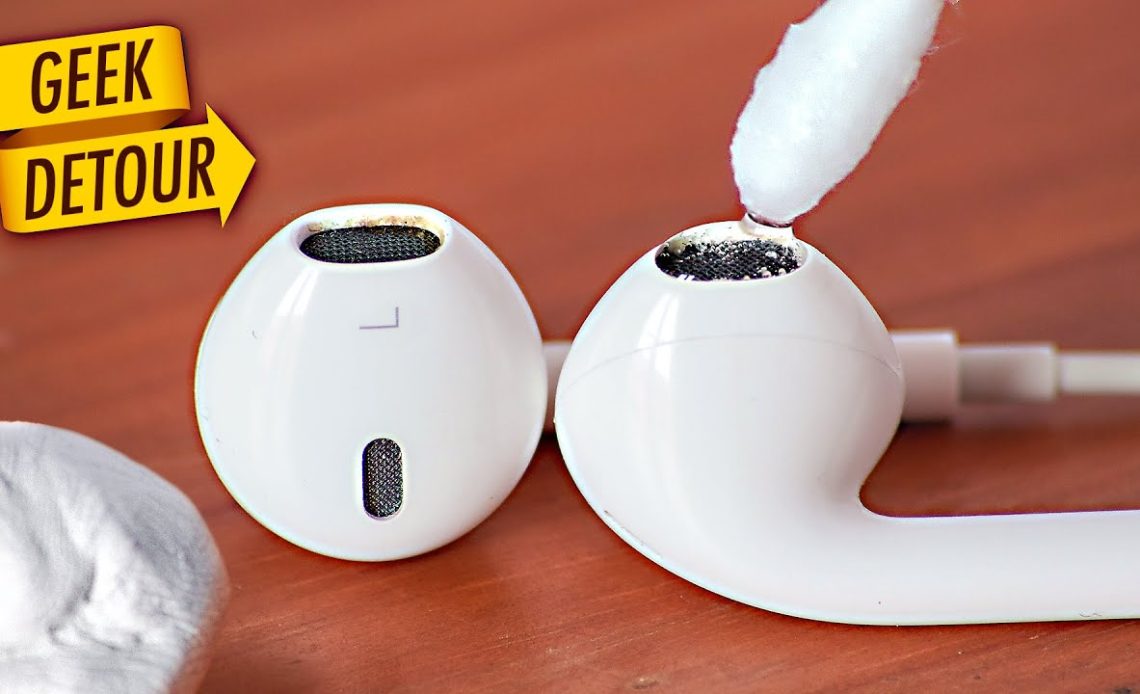
The quickest way to learn how to clean airpods is to use a dry lint-free cloth for the exterior, a soft-bristled brush for the speaker mesh, and a slightly damp cotton swab for stubborn grime. Never use running water, sharp objects, or compressed air because Apple explicitly warns against these.
Earwax buildup is the #1 cause of muffled sound. Regular cleaning every 2-4 weeks keeps your AirPods performing like new.
What You’ll Need
- Microfiber or lint-free cloth (slightly damp for the case)
- Soft-bristled toothbrush or a dedicated AirPods cleaning brush
- Cotton swabs (dry or barely damp with isopropyl alcohol 70%)
- Wooden or plastic toothpick – only for loosening large debris
What NOT to Use – Common Mistakes
| Avoid This | Why It’s Dangerous |
| Running water | AirPods are not waterproof – charging contacts corrode |
| Sharp metal tools | Permanently scratches the mesh and plastic body |
| Compressed/canned air | Can push debris deeper into the speaker grille |
| Bleach or hydrogen peroxide | Degrades plastic finish and discolors silicone tips |
| Soaking in alcohol | Moisture seeps inside and damages internal components |
How to Clean AirPods Earbuds (Step by Step)
- Wipe the outer shell with a dry microfiber cloth to remove oils and fingerprints.
- Use a soft brush to gently sweep the speaker mesh in circular motions. Hold the earbud mesh-side down so debris falls out, not in.
- Dip a cotton swab lightly in 70% isopropyl alcohol. Wring out any excess – it should be just barely damp.
- Clean around the edges of the mesh and the microphone holes.
- Let dry fully before placing back in the case – at least 10 minutes.
How to Clean the Charging Case
- Wipe outside with a slightly damp lint-free cloth. Dry immediately.
- Clean the inside with a dry cotton swab – pay attention to the hinge area where dust collects.
- Use a dry toothpick to carefully loosen any debris from the Lightning/USB-C port. Do not insert any liquids near the charging port.
- Clean the metal charging contacts inside with a dry cotton swab.
Cleaning Guide by AirPods Model
| Model | Has Ear Tips? | Water Resistance | Special Tip |
| AirPods (1st/2nd Gen) | No | None | Most delicate – avoid all moisture |
| AirPods (3rd Gen) | No | IPX4 | Rinse with fresh water after sweat exposure |
| AirPods Pro (1st/2nd) | Yes (silicone) | IPX4 | Remove silicone tips, rinse them separately |
| AirPods Max | Ear cushions | Not rated | Detach cushions and clean with damp cloth only |
How Often Should You Clean AirPods?
- Casual daily use: Clean every 2-3 weeks
- Regular gym/exercise use: Clean after every workout (sweat accelerates corrosion)
- Noticing muffled sound: Clean immediately – earwax-blocked mesh is the usual culprit
Tip: If sound quality doesn’t improve after cleaning, check if AirPods need a firmware update or a reset via Settings > Bluetooth.